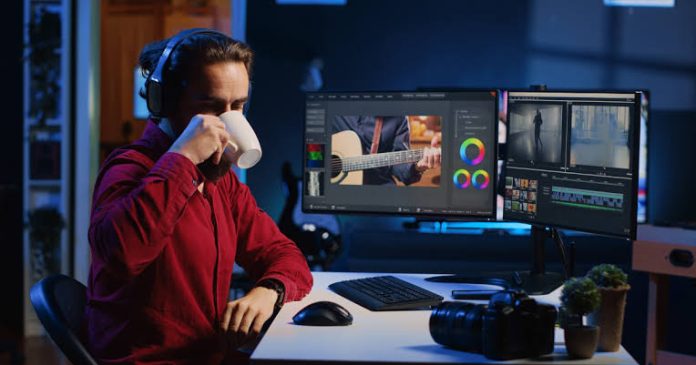
Video can help a small business explain a product, give an online course more personality, or make an entertainment brand easier to discover. But publishing consistently takes more than a camera: footage needs to be trimmed, captions added, audio balanced, and versions adapted for different platforms. An AI video editor can speed up parts of that work, though the best results still depend on clear goals and human judgment.
Rather than choosing software by the number of AI features it advertises, start with the work you need to do. A useful overview of current options is this guide to video marketing tools for 2026. Then assess how each tool fits your production process, budget, and audience.
Start with the job the video needs to do
A promotional clip, a tutorial, and a customer story have different requirements. Before opening an editor, decide what viewers should understand or do after watching. That decision informs the video’s length, style, and call to action, as well as which editing features matter.
- For product marketing: prioritize clear demonstrations, readable captions, and versions that work with sound off.
- For education: look for accurate captions, screen-recording support, and straightforward ways to organize longer lessons into chapters or shorter clips.
- For entertainment and social media: consider aspect-ratio changes, quick trimming, and tools for maintaining a consistent visual style.
AI features are most useful when they remove repetitive work without taking control away from the creator. Automatic transcription, silence removal, background cleanup, and clip suggestions can reduce editing time. Still, review every result: automated captions may mishear names or technical terms, and an algorithm’s choice of a “best” moment may miss the context that makes a scene meaningful.
Evaluate the editor against your workflow
Make a short test project before committing to a subscription. Use real footage, not just a polished sample supplied by the software company. Check how long it takes to import, edit, caption, and export a video, and note where manual corrections are needed.
Check practical essentials
- Export quality: Confirm that the editor supports the resolution and file formats your channels require.
- Caption controls: Make sure you can correct wording, timing, and styling before publishing.
- Brand consistency: Test whether logos, fonts, colors, and intro or outro elements can be reused easily.
- Collaboration: If other people review content, find out how comments, revisions, and shared projects work.
- Pricing and limits: Compare export caps, storage, watermark policies, and paid features—not only the advertised monthly price.
Also consider where footage and project files are stored, who can access them, and how easily you can retrieve your work later. For businesses handling customer interviews, internal training, or unreleased products, privacy and account permissions deserve attention alongside editing features.
Build a repeatable production process
A simple workflow helps teams publish on schedule and makes it easier to spot problems before a video goes live. Begin with a brief that identifies the intended viewer, the central message, the platform, and the desired next step. Record with that plan in mind: clear audio and steady framing often save more time than any automated fix.
Next, use AI to create a rough cut or transcript, then edit for meaning and pacing. Remove repetition, check transitions, and make sure visual examples support what the speaker says. Review captions against the audio, especially names, numbers, product details, and any claims that could mislead viewers. Finally, watch the exported file on a phone and a computer. Small text, abrupt cuts, or uneven volume can be easy to miss on an editing timeline.
Keep a master version and create platform-specific edits from it. A vertical short should not simply be a landscape video squeezed into a narrow frame; check that the important subject remains visible and that on-screen text is not hidden by interface elements. A few deliberate variations can make one recording useful across several channels without making every post feel identical.
Know when to bring in outside help
Software does not replace every skill. A project may need motion graphics, a script, professional voice-over, sound design, or a more advanced edit than the team can manage. Freelancers can fill those gaps, especially for one-off campaigns or periods of high demand. A freelance marketplace can connect buyers with specialists in areas such as video and animation, writing, and marketing; Osdire’s explanation of how marketplaces work outlines the basic process.
When hiring, share a concise brief, examples of the intended style, file requirements, deadlines, and the number of revision rounds. Agree on ownership and delivery expectations before work begins. Clear instructions make collaboration more efficient whether the freelancer is polishing footage, writing a script, or preparing alternate edits.
Promote the finished video thoughtfully
Publishing is only one part of video marketing. Add a useful description, choose a thumbnail that represents the content honestly, and make the next step clear. Track a few metrics tied to your goal—such as watch time, completion rate, clicks, or sign-ups—instead of treating views as the only measure of success.
For written content that supports a campaign, such as a tutorial or product story, guest-posting opportunities can help reach readers beyond your own channels. A resource like guest-posting opportunities may be relevant when planning that wider content strategy. Keep any article useful on its own and make sure its claims and links genuinely serve the audience.
Conclusion
An AI video editor can make production faster, but it is not a substitute for a strong idea, clean source footage, and careful review. Choose tools by testing them against real tasks, create a repeatable workflow, and use specialists when a project calls for skills your team lacks. With those foundations in place, video can become a practical part of marketing, education, and entertainment—not just another format to keep up with.